MyOchsner
- 4.3
- Rating
- 100.00K
- Installs
- Free
- Price

 Analysis by App-foxy
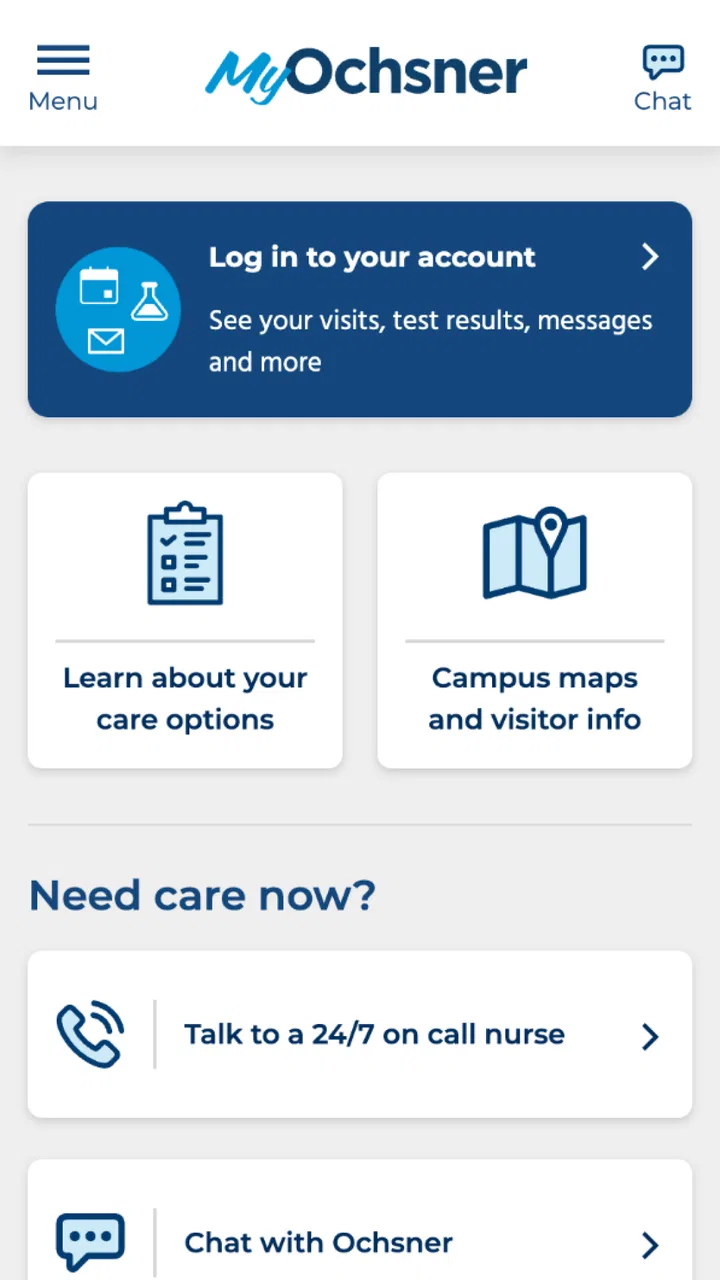
Healthcare apps are most useful when you need them at an inconvenient moment: after a visit, while checking a message, or when you are trying to remember what a clinician told you. MyOchsner is designed for that kind of everyday access. Developed by Ochsner Health System, this free medical app brings personal health information and related care tasks into one mobile experience rather than making you rely on paper instructions, phone calls, or several separate tools.
I found the idea practical, but the real test is not the store summary. It is whether the app helps when sign-in is slow, a record seems incomplete, or you are unsure whether a problem comes from the app, your account, or the healthcare system behind it. My experience is that MyOchsner can be valuable for people already connected to Ochsner, while its usefulness is much narrower for anyone looking for a general health tracker or an independent medical reference.
Where the first problems usually appear
The biggest point to understand is that MyOchsner is tied to Ochsner Health System. That makes it different from a general wellness app, symptom checker, medication reminder, or fitness dashboard. Its value depends on your relationship with the organization and on the information attached to your patient account. If you are already receiving care through Ochsner, the app has a clear purpose. If you are not, installing it will not magically create a complete personal health record.
You May Also Like

 Blood Strike: 2.5 Anniversary
Blood Strike’s Loadouts Turn Every Drop Into a Tactical Gamble
A close look at Blood Strike’s custom loadouts: how fast access to signature weapons reshapes its battle royale rhythm, rewards preparation, and narrows the gap between fights.

 Pandora - Music & Podcasts
Pandora’s Music Is Easy to Start, but Harder to Recover
Pandora’s strength is its low-effort path from a seed to a station. Its weak spot is how much confidence it asks you to place in connection, setup, and quiet recovery.

 8 Ball Pool
 Is Built on Rivalries, Rematches, and Routine
A close look at the rivalries, rematches, shared routines, and unanswered safety questions that turn a quick pool match into a persistent mobile community.

 Samsung Music
’s Quiet Strength Is Playing What You Already Own
Its reach comes less from spectacle than from dependable access to a personal library. That simplicity is both the app’s strongest retention engine and its ceiling.

 AccuWeather: Weather Radar
AccuWeather Review: A Quick, Clear Forecast for Everyday Decisions
For everyday plans, the best forecast is the one you can understand quickly. AccuWeather makes rain timing, radar, and local conditions easy to act on, with a few trade-offs.

 Hill Climb Racing
Why Hill Climb Racing Still Turns Crashes Into One More Run
A tiny car, a bumpy hill and one more upgrade: Hill Climb Racing keeps resurfacing because its simple chaos makes every near-miss feel personal.
More From Our News Desk



Many users will first get stuck at access rather than at a medical feature. A healthcare account normally involves identity checks, account credentials, and information that must match the provider's records. A mistyped email address, an old password, or an account created under different contact details can make the app appear broken when the underlying issue is account matching. I recommend slowing down at this stage instead of repeatedly trying random credentials, because repeated attempts rarely solve a mismatch.
Another common source of confusion is expecting every piece of health information to appear immediately. A mobile patient portal is connected to clinical workflows, and those workflows do not all move at the same speed. A visit note, test result, message, or appointment-related update may depend on staff processing and system synchronization. If one item is missing while other information loads normally, that does not automatically point to a phone problem.
MyOchsner is also not a substitute for urgent medical help. A portal is useful for routine communication and access to care information, but it is the wrong place to wait for an emergency response. If a situation feels urgent, use the appropriate local emergency service or established clinical contact method instead of assuming that a message inside the app will be seen immediately.
The app has reached a meaningful audience, with more than one hundred thousand installs and an average rating of about four and a half stars from roughly one and a half thousand ratings. Those figures suggest that many people find the experience worthwhile, but they should not be read as a promise that every account, device, or healthcare situation will behave identically.
What MyOchsner is, and what it is not
I would describe this as a patient-access tool, not a complete personal health manager. It is intended to put your Ochsner-related health information within reach, but it should not be judged by the standards of a standalone fitness app. You will not choose it because you want broad exercise analysis or a universal database of medical information. You choose it because your care is connected to Ochsner and you want a more convenient route to that relationship.
That distinction matters when comparing alternatives. A general health app may collect data from several sources and offer charts, reminders, or lifestyle tracking, but it may not provide the same connection to your provider's records. A web patient portal may expose similar account information through a browser and can sometimes feel easier on a large screen. MyOchsner's advantage is having that patient-facing access available on a phone, especially when you are away from a computer.
The compromise is that the app cannot control every part of the healthcare process. If a clinician has not entered something, if a result is still being handled, or if an account needs attention, the mobile interface cannot manufacture the missing information. Understanding that boundary prevents a lot of unnecessary troubleshooting.
Setup checks that prevent avoidable frustration
Before judging the app, I would begin with the basics: install the current release available for your device, use a stable connection, and make sure the phone's operating system meets the stated minimum of version eleven. MyOchsner is free and rated for Everyone, but “free” does not mean that the surrounding healthcare account setup is automatic. The account relationship remains the important part.
When signing in, check whether you are using the same account details associated with your Ochsner care. If you have more than one email address or have used different contact information over time, this is a realistic place for confusion. Use the app's own account-recovery route where available rather than creating multiple new accounts. Duplicate profiles can make it harder to understand which one is connected to your records.
I also recommend checking the phone's date and time settings if authentication behaves strangely. An incorrect device clock can interfere with secure connections and verification steps in many apps. It is a simple check, but it is safer than changing unrelated settings or repeatedly reinstalling the application.
Keep the first setup focused. Sign in, confirm that the account opens, and look for familiar information before changing notification preferences or other phone settings. This gives you a useful baseline. If the account loads correctly, you know the core connection works; if it does not, you can concentrate on access rather than chasing a notification issue.
MyOchsner's current version is 11.7.2, and the app was released on April 5, 2022. Those details are useful when checking whether you are running a current installation, especially if your device has been restoring an older backup. I would update through the official app marketplace before doing more invasive troubleshooting, because an outdated build can create behavior that has already been corrected.
A sensible first-use routine
After signing in successfully, take a few minutes to learn where your important information appears instead of waiting until you are under pressure. Look at the areas you expect to use, such as your available health information and communication with your care team, and note whether the content looks connected to your own account. This is not about exploring every screen; it is about establishing what “normal” looks like for you.
A useful habit is to open the app before a scheduled healthcare interaction, not during the appointment itself. If access fails at home, you have time to recover the account or contact the appropriate support channel. If it works, you can identify the information you may want to discuss. This turns the app into preparation rather than another source of stress.
For families or caregivers, be especially careful about whose account is active before reading or discussing health information. A shared phone can make account switching easy to overlook. I would sign out or use the app's intended account controls when appropriate, and I would avoid assuming that one person's access automatically covers another person's records.
Privacy also deserves practical attention. Use a device lock and avoid leaving a patient portal open on a shared screen. I am not suggesting that MyOchsner is unsafe; I am pointing out that a health app contains information that should be treated differently from a casual shopping or entertainment app. Convenience is only helpful when it does not create accidental exposure.
Recovering when a normal workflow breaks
When the app stops behaving normally, I prefer a staged recovery process. First, close and reopen it, then test the connection with another trusted service. If other apps also struggle, the network is a more likely explanation than MyOchsner itself. If everything else works, try the app again after switching between a reliable Wi-Fi connection and mobile data, provided your plan allows it.
If the app opens but a particular section does not load, avoid immediately deleting the application. Reinstalling can remove local convenience settings and may force you through account verification again without fixing a provider-side issue. A restart, an update check, and a careful sign-in attempt are less disruptive first steps.
There is an important difference between “I cannot sign in” and “I can sign in but one item is missing.” The first points toward credentials, account setup, device compatibility, or connection problems. The second may relate to how information is being posted or synchronized by the healthcare system. Treating both situations as a password problem wastes time.
If a message or record appears delayed, write down what you expected to see, when you expected it, and whether other parts of the account are working. That simple timeline is more useful when contacting support than saying only that “the app is broken.” It helps separate a display issue from a clinical-record question.
Do not send sensitive medical details through an unofficial channel just because the app is inconvenient at that moment. If you need help with access, use the recognized support route associated with Ochsner or your care provider. For medical concerns, contact the appropriate healthcare service rather than relying on technical support to interpret symptoms.
When reinstalling helps, and when it does not
Reinstalling can be reasonable after an update appears incomplete or the local installation repeatedly crashes, but I would treat it as a later step. Before doing it, make sure you know your sign-in details and can complete any required verification. A fresh installation does not repair an account that is not correctly linked to your care, nor does it make an unposted clinical result appear.
Clearing local app data can also have consequences, depending on the device, so I would not do it casually. The safest general approach is to preserve your account information, update the app, restart the phone, and then use official recovery instructions if the problem continues. Avoid downloading modified versions or unofficial copies; a medical portal is not the place to experiment with unknown software.
One less obvious tip is to distinguish a temporary display problem from a record problem by checking again later and, when appropriate, using the official web access route. If the same information is absent everywhere, the issue is less likely to be limited to the mobile interface. If it appears on the web but not in the app, the mobile installation or session may deserve attention. This comparison is useful because it prevents you from repeatedly editing account settings when the account itself is fine.
When the app is not the cause
Patient portals sit at the end of a chain involving appointments, clinicians, laboratories, administrative teams, authentication services, and your device. A delay can happen anywhere along that chain. MyOchsner may be the screen where you notice the problem, but it is not necessarily the source.
For example, if an appointment-related detail looks different from what you were told, the right next step is to confirm it with the care provider rather than assuming the app's display is the final word. Likewise, if a result seems confusing, the portal can help you access information, but it should not replace a clinician's explanation. The convenience of seeing health information quickly can sometimes create more questions, especially when medical language is brief or unfamiliar.
Network restrictions can also matter. A workplace, hotel, school, or public Wi-Fi connection may block or interfere with secure services. Testing from a trusted private connection is a sensible diagnostic step. If the app works there, the problem is probably environmental rather than a defect in your account.
Device storage and background activity are other practical considerations. A phone that is nearly full, heavily restricted for background use, or running an old operating system may behave poorly with many apps. Since MyOchsner requires operating system version eleven or newer, checking the device software is worthwhile before blaming the healthcare service.
Notifications deserve their own caution. A missing alert does not necessarily mean that the underlying information is missing. Notification delivery can be affected by system settings, focus modes, battery controls, or a muted app. When something matters, open the app directly instead of relying only on a banner or sound.
There are also situations where another option is better. If you need a broad, cross-provider record, a general health platform or a browser-based personal system may be more suitable, depending on what your providers support. If you need immediate medical advice, a phone call or urgent-care service is more appropriate. If you are managing detailed lifestyle goals, a dedicated wellness app may offer tools that this patient-focused experience does not aim to provide.
Who will get the most from it
I think MyOchsner is best for an Ochsner patient who wants a convenient mobile doorway to their care relationship. It is particularly useful for someone who regularly checks health information, communicates with a care team, or wants to prepare for appointments without searching through printed documents. The benefit grows when you use it as part of a routine rather than only during a crisis.
It can also help a busy household keep healthcare tasks closer at hand, provided each person's account is handled carefully. A parent or caregiver may appreciate not having to sit at a computer for every small administrative step, but shared-device habits should be deliberate. Account confusion is more frustrating when several people use the same phone.
I would tell a person outside the Ochsner system to skip it unless they have a clear reason to use this particular portal. Installing it simply because it is a medical app will not make it a universal health dashboard. Likewise, someone who wants symptom diagnosis, exercise coaching, or a medication-management system independent of a provider should look elsewhere.
My practical verdict after using it
MyOchsner succeeds when its role is kept clear: it is a free mobile medical app from Ochsner Health System that makes provider-connected information easier to reach. Its strongest quality is not flashy technology but practical access. When the account is correctly connected and the service is operating normally, having health information available on a phone is more convenient than depending on a desktop browser or paper records.
The friction comes from the same connection that makes the app useful. Your experience depends on account matching, device compatibility, network conditions, and the pace of the healthcare workflow behind the screen. That means some apparent app problems require account recovery or provider contact, while others are solved by a connection check or update. Learning that distinction is the most valuable troubleshooting skill for this app.
The current release, 11.7.2, supports devices running version eleven or later, and the Everyone content rating makes it broadly approachable from an age-classification standpoint. Ochsner Health System is the developer, and the app's reception—around one and a half thousand ratings averaging about four and a half stars—shows solid user approval without removing the need for realistic expectations.
My recommendation is straightforward: if you receive care through Ochsner, install MyOchsner, complete setup when you are calm, and test the account before you urgently need information. Keep your credentials available through a safe method, check the app directly when a notification does not arrive, and compare with the official web route before assuming a missing item is a mobile fault. If you need emergency care, independent medical advice, or a universal health tracker, choose the service designed for that purpose instead.
My final take: MyOchsner is worth using for Ochsner patients who want practical phone access to their healthcare relationship, but it works best when treated as a patient portal rather than an all-purpose medical app.
FAQs for MyOchsner
01What is MyOchsner and how does it benefit users?
MyOchsner is a comprehensive healthcare app designed for patients of the Ochsner Health System. It allows users to manage appointments, view test results, and communicate with healthcare providers. With features like prescription renewals and bill payments, it offers a convenient way to handle health-related tasks from your smartphone.
02How secure is my personal information on MyOchsner?
MyOchsner prioritizes the security of your personal information by using advanced encryption methods. The app complies with HIPAA regulations to ensure that your data is protected. Regular updates and security patches are implemented to safeguard against unauthorized access, providing peace of mind to all users.
03Can I schedule appointments with any doctor using MyOchsner?
Users can schedule appointments with healthcare providers within the Ochsner Health System through the MyOchsner app. The app allows you to search for available times and select a convenient slot with your preferred doctor, streamlining the process of booking medical appointments.
04Is MyOchsner available for both Android and iOS devices?
Yes, MyOchsner is available for download on both Android and iOS platforms. Users can find the app on the Google Play Store for Android devices and the Apple App Store for iOS devices, ensuring accessibility for a wide range of smartphone users.
05What should I do if I encounter technical issues with MyOchsner?
If you experience technical difficulties with MyOchsner, the app offers a support section where users can find FAQs and troubleshooting tips. Alternatively, you can contact Ochsner’s customer support team through the app or their official website for more personalized assistance with resolving any issues.
Pros
- Easy appointment scheduling.
- Access to medical records anytime.
- Secure messaging with doctors.
- User-friendly interface.
- Integrates with health devices.
Cons
- Limited to Ochsner patients.
- Occasional login issues.
- Requires stable internet.
- No offline access to records.
- Notifications can be overwhelming.

MyOchsner
Gallery